
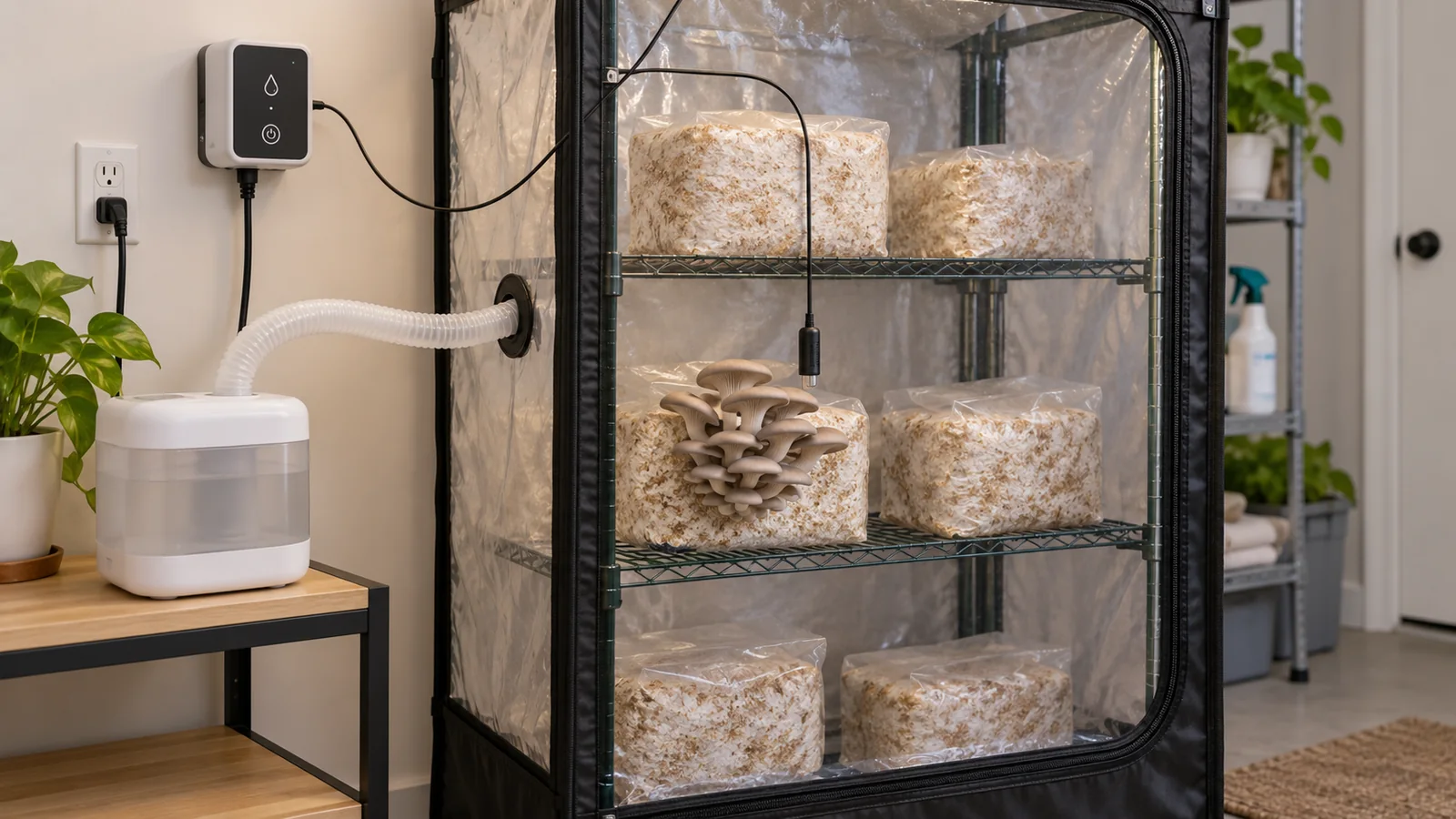
Mushroom humidity controllers switch a humidifier on and off when the probe reaches the levels you choose. That way moisture comes back without constant hand misting. They work well only with a probe that reads the air at the crop, a humidifier that restarts by itself, and enough mist to keep up while fresh air comes in.
Some humidifiers wait for a button press after the power comes back. That one habit can defeat a humidity controller you set up perfectly. The controller only switches power on when the air reading crosses a threshold, and the humidifier still has to start making mist again.
So good automation is a chain: a probe that reads the crop's air, the right switch rules, a humidifier that works with them, and enough mist to keep up with fresh air. You can test each link on its own before you blame a poor crop on the screen.
When is humidity control worth adding?
Your fruiting box may keep losing moisture through the day. The controller earns its place when a humidifier on switched power can bring that moisture back without soaking the crop. It reacts to the air it measures, so it follows changing demand more closely than a timer that repeats the same run time. Timers may keep running when the air needs little moisture, while the controller stops once its probe reaches the level you chose.
If your mushroom grow kit has a small removable cover, its producer may already supply a care routine that works. Automation adds a sensor, power connections and a water tank to look after. It pays off when it solves a problem that keeps coming back. On a simple kit that is doing fine, it only adds work.
Your fruiting chamber still needs a suitable enclosure and a way to swap out the air. Basic humidity-only controllers cannot measure carbon dioxide. And no output that shuts off at high RH can reliably run the fresh air the crop needs.
Restart After a Power Cut
On a plug-in controller, automatic restart means the humidifier goes back to work as soon as power returns. Nobody has to press a button. Some units remember their settings and still act differently after a power cut. So read the humidifier's own manual and watch a test power cut, whatever the controls look like.
Humidifiers with a built-in humidistat raise one more question: which control gets to stop the mist? If the built-in limit stops the unit before the controller's target, the outlet can stay on while no mist comes out.
Electrical ratings belong to the exact controller and its regional version. The INKBIRD IHC-200 manual sets a maximum power output of 10 A, even though it lists a higher rating for the relay inside. That larger relay number gives you no permission to go past the product's output limit.
Before you buy or wire anything, check these points:
- The controller's output voltage, plug and rated load suit the humidifier, including any load limits in either manual.
- The humidifier goes back to its normal operation when switched power returns.
- The probe is rated for the humidity and temperature you will run, and its cable reaches the crop while the powered controller stays dry.
- The controller lets you set the switching thresholds your crop needs, and does more than show a display or send a phone alert.
- The manual describes sensor errors, high and low alarms, and behavior after a power cut clearly enough for you to test them.
Warning
Powered equipment needs a dry location
Keep the controller and plug connections outside the humid enclosure, clear of leaks and splashes. Disconnect power before moving connections. Damaged equipment or exposed wiring needs qualified service, not a homemade repair.
How do the setpoint and differential switch the humidifier?
The setpoint alone does not tell you how an on/off controller behaves. The differential opens a gap between starting and stopping. Inside that band the reading can drift, and the output does not flick on and off at every small change.
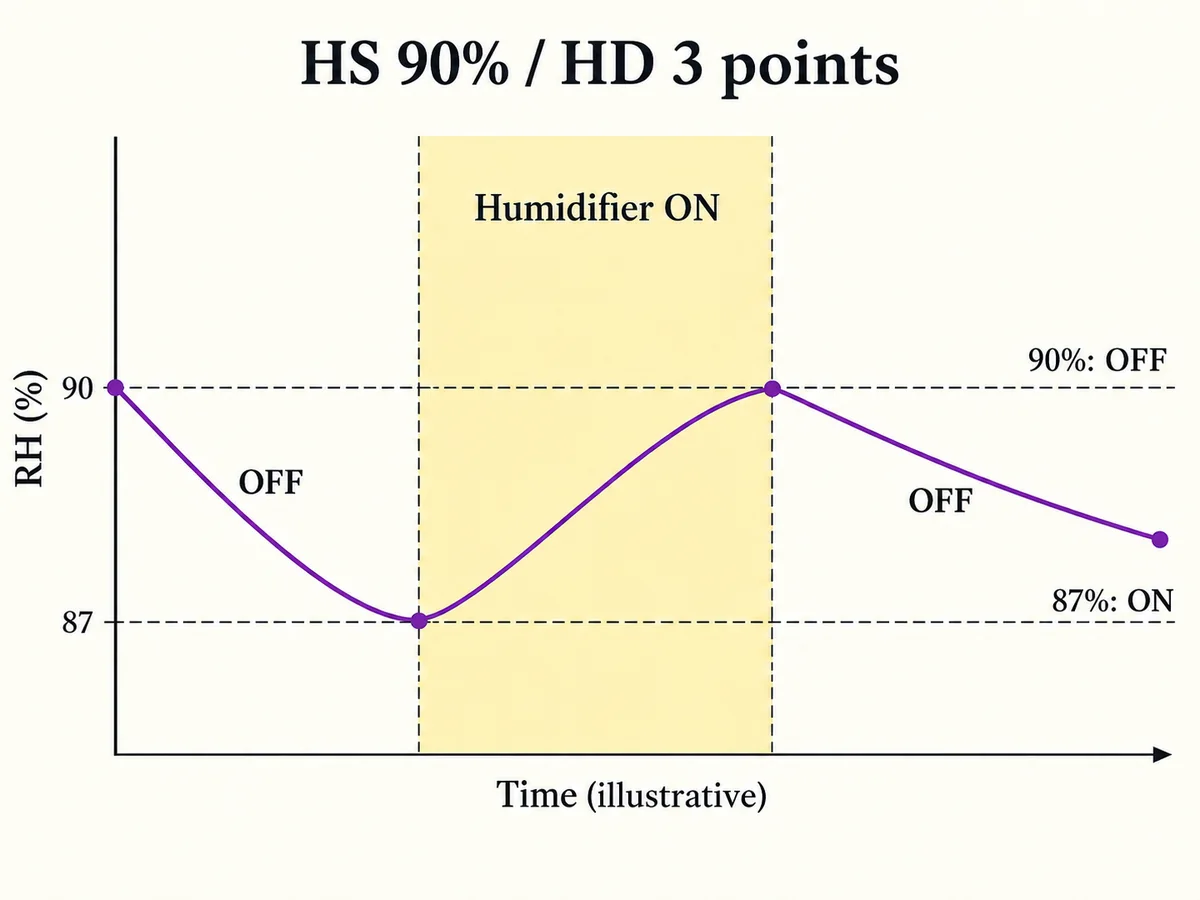
In the IHC-200 manual, HS is the humidity setpoint and HD is the humidifying differential. Mist starts when the display is at or below HS minus HD, and it stops when the display reaches HS or goes past it.
Take an HS of 90% RH and an HD of three percentage points as an example. The humidifier starts at 87% RH and stops at 90% RH, and it stays on as the reading climbs through 88% and 89%. Once it has stopped, a drop back to 89% does not start it again. Those numbers show how the switching rule works, and they make no setting recommendation for any mushroom.
| Setting or specification | What it means in this IHC-200 example | What it does not establish |
|---|---|---|
| HS | Humidification stops at the setpoint | A universal crop humidity target |
| HD | Humidification starts at HS minus this differential | A correction for an inaccurate probe |
| DD | The separate dehumidification differential above HS | The humidifier's restart threshold |
| PT | Delay protection for dehumidification operation | A general delay applied to humidification |
| AH and AL | Audible high and low humidity alarm limits | Replacement switch-off and switch-on settings |
| CA | An additive correction to the measured humidity | A repair for wet, misplaced or malfunctioning sensing hardware |
| One-point display resolution | The display changes in one-percentage-point increments | Accuracy to one percentage point |
The manual gives humidity accuracy of plus or minus three RH percentage points. Picking a very exact setpoint cannot remove that doubt. Other controllers may handle upper and lower thresholds or delay protection in their own way, so their manuals govern them.
Switching Band Versus Crop Target
Widen the differential and the humidity falls further before the humidifier starts again. Narrow it and the output can switch often if the probe sees small, fast changes. The right width depends on how fast your box loses moisture, how much mist the humidifier makes and how fast the reading reacts.
The reading can keep rising a little after shutoff. Mist already in the air is still mixing through the box, and the sensor is still catching up. Widening the differential moves the restart point, yet it does nothing about mist already on its way near the top threshold.
Cornell Small Farms describes new pins as very sensitive to humidity. It gives humidity above 85% in the early days and conditions around 80% later. Those notes show why crop stage changes the target. They still fall short of a full schedule for every strain, enclosure or controller.
Bag openings and local conditions change from crop to crop. Side-fruiting lion's mane grows out through small cuts. Cornell describes a bag collar kept around top-fruiting king oyster, so the exposed crop can sit in air that a distant room probe never sees.
Producer directions for oyster mushrooms set their own openings and conditions as well. Your usable band comes from those crop instructions and from what you see at the fruiting area. Maybe the low threshold lets the crop dry, or the high end keeps leaving surfaces wet. Then fix the probe spot, the spread of mist or the output, because a more exact-looking number on the display fixes none of them.
Probe Placement and Accuracy
Measuring the Air at the Crop
Hang the probe near the fruiting level, since a reading there means more than one taken at the tent roof just because the cable reaches it. The sensor needs open air around it, and it should not touch a block, a cap, a wet wall or the water tank. Mist straight from the humidifier can wet the sensor or make it read the wettest part of the plume. Keep it clear of that plume, since a fixed rule such as an arm's length from the outlet fails when outlets point different ways and boxes come in different sizes.
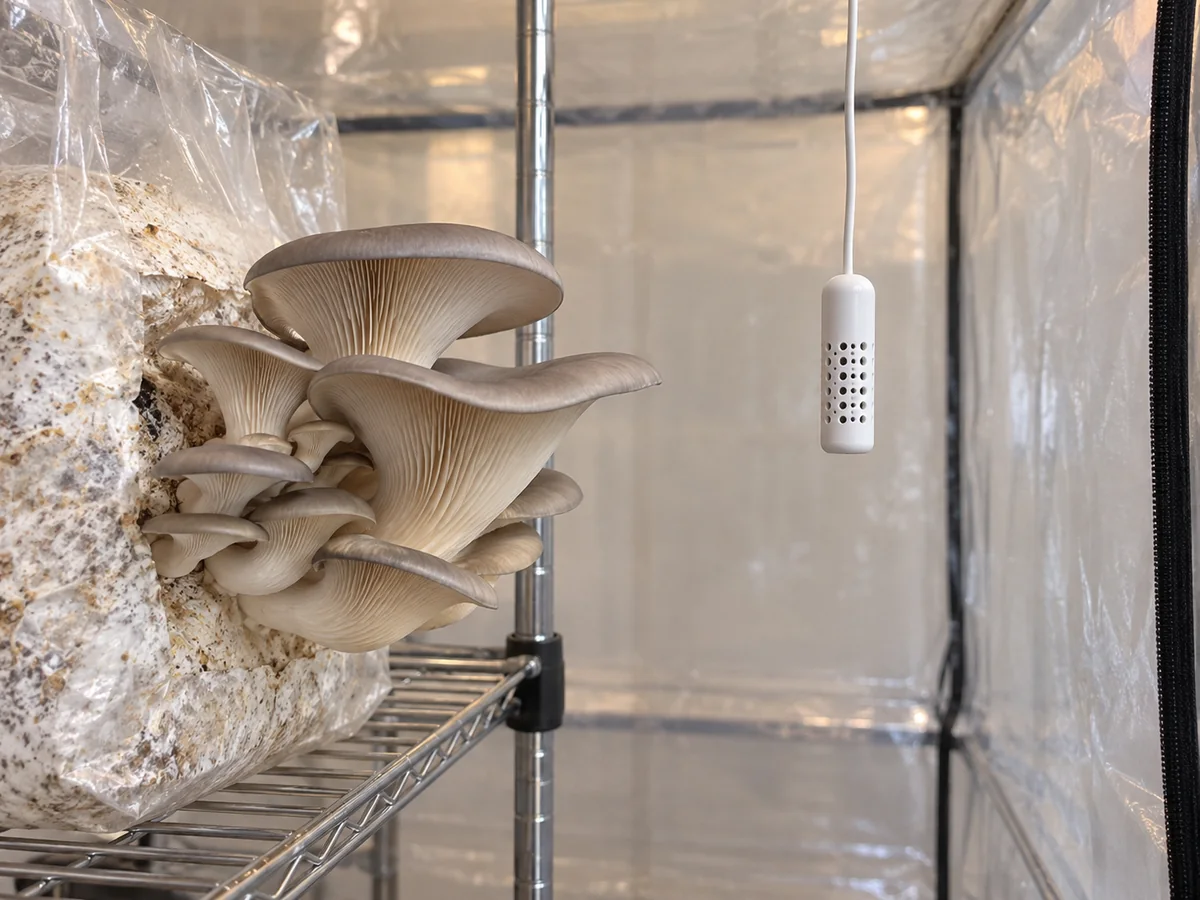
Temperature changes the reading itself. Relative humidity compares the water vapor in the air with the most that air can hold at its temperature. So a sensor that is warmer or cooler than the air around it can report the wrong RH for that air. Vaisala's test-chamber notes explain how temperature differences along a probe can cause reading errors or condensation. Look for a cold wall, a newly moved sensor or a wet sensor before you enter any correction.
In a box with several shelves, the control probe speaks only for its own spot. Moving a second meter between shelves can show whether each area recovers at the same pace after misting and fresh air. That works when you compare under similar running conditions and give the meter time to settle.
Say the top shelf recovers fast while the lower crop sits in drier air. Correcting the control reading would hide that problem, while moving the mist path or the probe fixes it.
Comparing Two Instruments
Placement checks and accuracy checks answer different questions. Readings from two shelves compare places, while readings from two probes held together in the same steady air compare instruments. For an instrument check, both sensor tips need the same air and temperature, away from mist and the warmth of your hands. Let a newly added meter settle before you treat it as a reference for the installed probe.
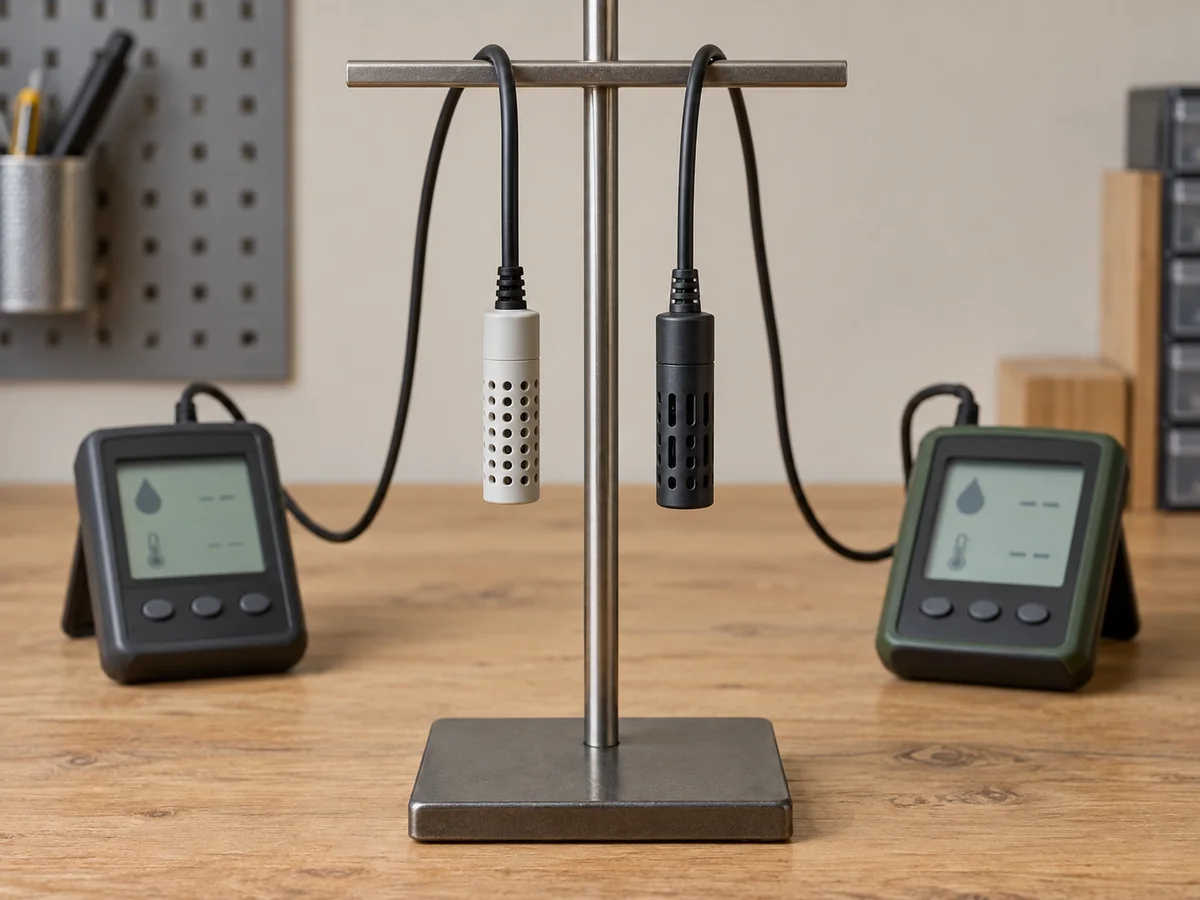
Small differences can sit inside the accuracy the makers state. Larger or shifting gaps can justify more checks, but two ordinary meters cannot show which one is right just by disagreeing. Vaisala's calibration and adjustment guide separates a one-point comparison from checking an instrument across its working range. Agreement in room air does not prove the probe reads correctly near a humid crop, and an offset set at one condition may not fix errors at another.
Salt jar tests also need a steady temperature and time to settle. Your jar at home is no traceable calibration standard, and a quick mid-range check cannot certify a sensor for use close to saturation. Use the controller's offset only after a proper reference check that follows the maker's directions. On the IHC-200, the CA setting adds or subtracts a constant value, so it cannot dry a wet sensor, speed up its response or make one shelf's reading stand for every shelf.
Testing the Setup With Ventilation Running
Commissioning means checking that each call from the controller changes the air the way you meant. It tells you far more than leaving the gear on overnight and reading one final number. Start with the controller and its plugs in their dry spots, the humidifier filled correctly, and the probe where it will stay. The humidifier's own running and cleaning instructions still apply, including any water-level protection and restart limits.
Confirm humidifier restart
With dry connections and according to the appliance instructions, observe a supervised power interruption and restoration. Confirm that moisture production resumes without pressing a start button.
Enter and save the switching settings
Select the correct humidifying output and crop-appropriate thresholds from the manuals. On the IHC-200, hold SET for three seconds to save changes. Letting the menu time out does not save edits.
Observe one complete moisture cycle
Watch the displayed reading, humidification indicator and actual mist production through a start and stop. Confirm that the appliance stops when the output stops and note whether the reading continues to rise afterwards.
Include normal air replacement
Run the enclosure's usual ventilation while observing the crop-level reading. Confirm that moisture recovers without removing necessary ventilation or directing the delivery plume at the sensor.
Check recovery and alarms
Recheck the saved settings after a normal restart and confirm the manual's high, low and sensor-error behavior. The controller's notification protects the grow only if someone can respond to the condition it identifies.
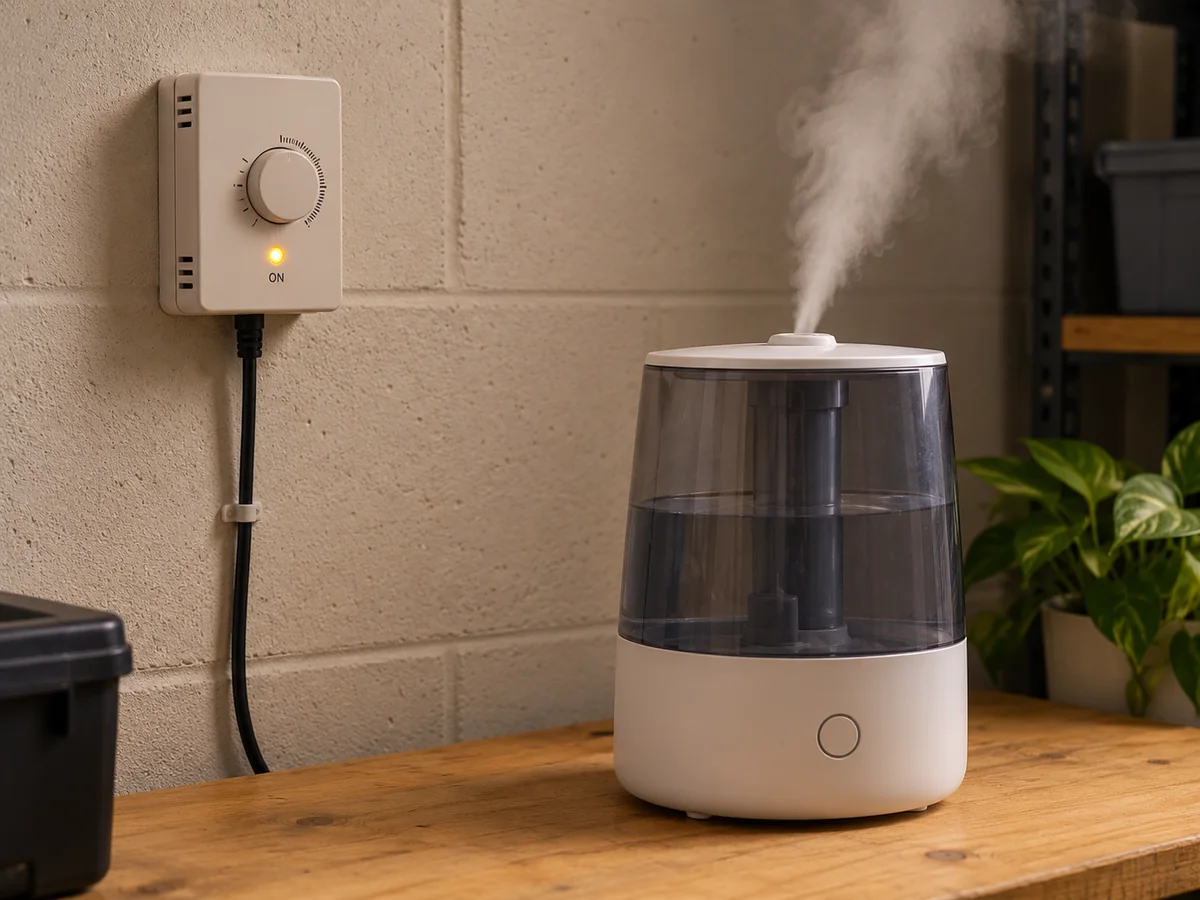
Each signal proves something different: the ON light shows the controller is asking for mist. Visible mist shows the humidifier is making it, and a rising reading shows the mist is reaching the air you measure. Watching a cycle with the fresh air stopped cannot show that the humidifier keeps up with normal demand. Fresh air changes both humidity and temperature, so a real test runs your usual air routine with the crop in place.
When the humidifier runs nonstop and the reading never recovers, the cause can be weak delivery, heavy losses or a probe in the wrong spot. Raising the setpoint cannot squeeze more mist from a humidifier that already runs all the time. The opposite also happens, when a strong short burst near the probe ends the call before the rest of the box catches up. Lower output or a better spread of mist may fix that, though buying a weak humidifier on purpose is no cure-all for overshoot.
What does a wrong reading or poor crop actually mean?
Good fault-finding keeps what you see apart from what it proves. Change the setpoint, the differential and the probe offset all at once, and you can no longer tell which change helped.
| Observation | Possible explanation | Check that separates the possibilities |
|---|---|---|
| Humidification indicator on, no mist | Appliance has not restarted, is empty or has stopped under its own controls | Observe the humidifier's status, water level and restart behavior under its manual |
| Reading below HS, outlet still off | Humidity has not yet fallen to HS minus HD | Compare the reading with the actual start threshold, not HS alone |
| Reading rises sharply during every burst | Probe lies in the delivery plume, or output and mixing are poorly matched | Compare a clear crop-level sensing position through a complete cycle |
| Reading stays very high after the enclosure changes | Condensation, a local wet sensing position or measurement fault | Inspect placement and follow the sensor's recovery or service instructions before adjusting CA |
| Repeated switching with little change around the crop | Narrow band or rapidly changing conditions at the probe | Observe switching together with actual output and a nearby settled comparison meter |
| High or low alarm sounds | Measured humidity crosses an alarm limit | Inspect the moisture-delivery chain and settings; silencing the buzzer does not correct the condition |
| IHC-200 displays ER | Sensor circuit fault reported by the controller | Follow the manufacturer's fault guidance; the manual says control actions are cancelled in this state |
On the IHC-200, the dehumidifying light can flash during its PT delay. That is a different event from a humidifier that fails to restart, so changing HD or CA cannot clear a delay that belongs to another output. Treat readings near saturation with care, because ordinary humidity meters can struggle when water condenses. Your display can stay high without the whole box reaching that humidity, and a high number gives you no reason to enter a random negative offset.
When the Reading Is Fine but the Crop Is Not
Mushroom pins that stop growing can fail for reasons beyond the controller settings. Local exposure, the crop's stage, the water left in the block and other growing conditions all play a part. So losing pins at a high displayed RH proves neither a faulty controller nor enough moisture at the pins.
Humidity describes the air, and it says nothing about the water stored inside your sawdust blocks. Leaving the right amount of bag in place limits the bare substrate. Rehydrating between flushes follows the block maker's care instructions, and misting the room more does not do that separate job.
Long stems and small caps can come with high carbon dioxide in specialty-mushroom growing, as Cornell explains. They call for a look at fresh air and the crop's other needs, and turning up the humidity by default answers neither. Once you have confirmed the switch cycle, the probe spot and the moisture recovery, look next at the crop's surroundings. That gets you further than adjusting a number that already behaves as it should.


